

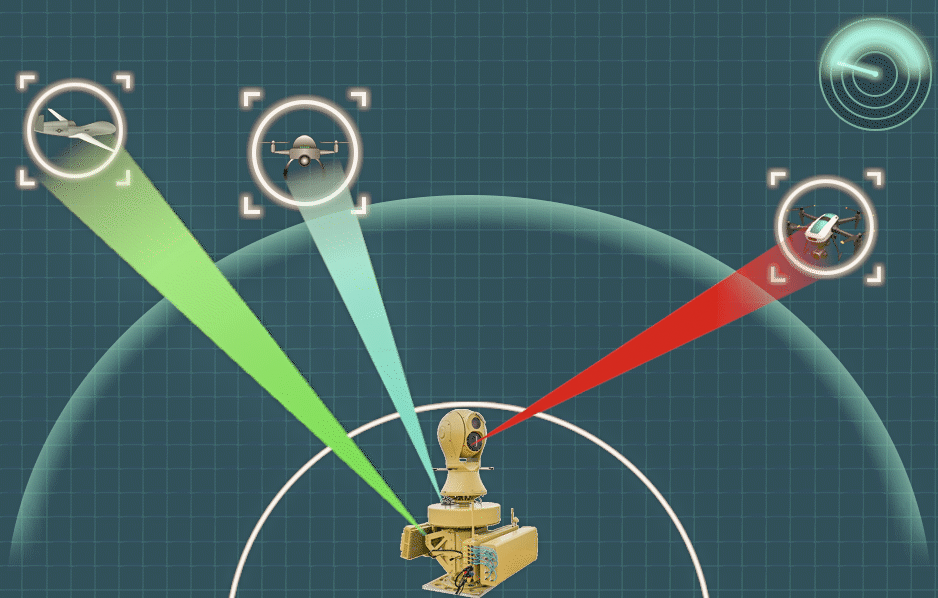

As unauthorized drones become a growing concern for airports, military bases, and critical infrastructure, fixed anti-drone jammer systems are increasingly essential. Proper installation and deployment are key to ensuring optimal performance, coverage, and safety compliance. This guide walks you through the entire process step by step.
1. Conduct a Site Assessment
Before installation, perform a comprehensive site survey. Identify potential drone entry points, high-risk zones, and environmental factors such as buildings, terrain, and signal interference sources.
Key considerations include:
- Coverage area requirements (radius and elevation)
- Presence of obstacles that may block RF signals
- Local regulations regarding radio frequency interference
A well-planned site assessment ensures your jammer system delivers effective and reliable protection.
2. Define System Requirements
Based on the site evaluation, determine the technical specifications needed for your fixed jammer system. These typically include:
- Frequency bands to be covered (e.g., GPS, 2.4 GHz, 5.8 GHz)
- Output power levels
- Antenna type (omnidirectional vs. directional)
- Integration with detection systems (radar or RF sensors)
Matching system capabilities to real-world threats is critical for efficient drone mitigation.
3. Select the Installation Location
Choose mounting points that maximize coverage and minimize signal blockage. Ideal locations include:
- Rooftops
- Towers or poles
- Elevated structures with clear line-of-sight
Ensure the installation site provides:
- Stable structural support
- Access to power supply
- Protection from weather conditions
Proper placement significantly enhances jamming effectiveness.
4. Install Hardware Components
Once the location is selected, proceed with installing the hardware components:
- Mount antennas securely at the designated positions
- Install the jammer unit in a weatherproof enclosure
- Connect RF cables with minimal loss
- Ensure proper grounding to prevent electrical hazards
Always follow manufacturer guidelines and safety standards during installation.
5. Configure the System
After hardware installation, configure the jammer system settings:
- Set operating frequencies according to target drone signals
- Adjust output power levels based on coverage needs
- Define activation modes (continuous or triggered)
If integrated with a detection system, configure automatic triggering to enable real-time response.
6. Perform System Testing
Testing is essential to verify performance and ensure compliance. Conduct the following tests:
- Coverage testing across the protected area
- Signal interference evaluation
- Response time validation (if automated)
Use controlled drone flights (where permitted) to simulate real-world scenarios and fine-tune system parameters.
7. Ensure Regulatory Compliance
Operating a drone jammer involves strict regulatory requirements in many countries. Ensure that:
- You have the necessary licenses and approvals
- The system operates within permitted frequency ranges
- Interference with civilian communications is minimized
Compliance is crucial to avoid legal risks and operational disruptions.
8. Establish Maintenance Procedures
Regular maintenance keeps your system operating at peak performance. Recommended practices include:
- Routine inspection of antennas and cables
- Firmware and software updates
- Periodic performance testing
A proactive maintenance plan reduces downtime and extends system lifespan.
9. Train Operational Personnel
Finally, ensure that staff are properly trained to operate and manage the system. Training should cover:
- System controls and interface
- Emergency procedures
- Basic troubleshooting
Well-trained personnel can respond quickly and effectively to drone threats.
Conclusion
Deploying a fixed anti-drone jammer system requires careful planning, precise installation, and ongoing management. By following this step-by-step guide, organizations can build a robust counter-UAS defense capable of protecting critical assets from unauthorized drone activity. Proper execution not only enhances security but also ensures compliance and long-term system reliability.
