

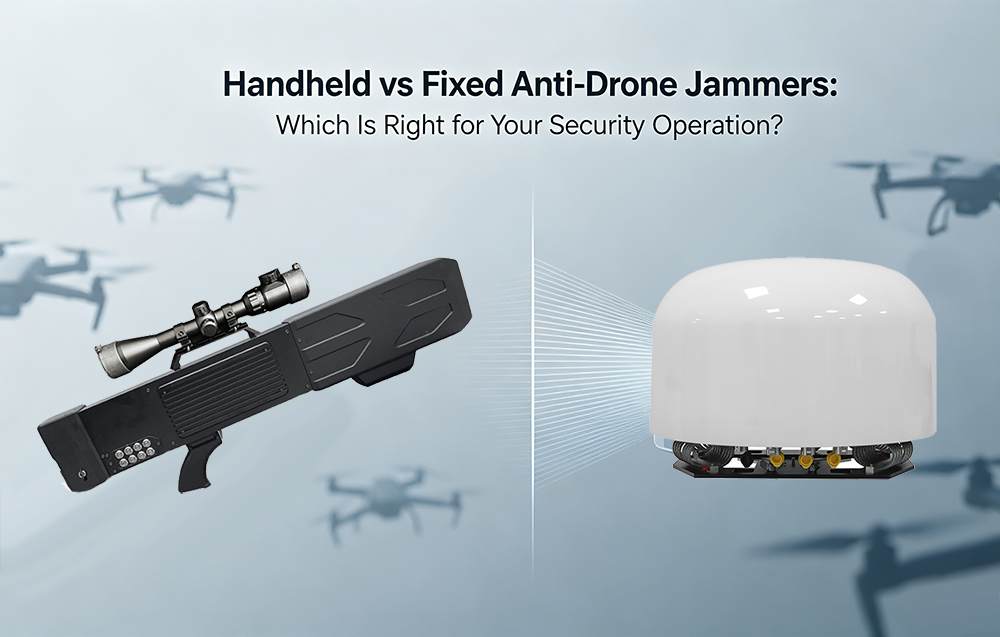


Handheld drone jamming guns are sophisticated pieces of electronic countermeasure equipment. They rely on precise radio frequency (RF) transmission to disrupt drone communications and navigation. Like any high-performance electronic tool used in the field, these devices require consistent routine maintenance to ensure they function reliably when needed most. Neglecting basic upkeep can lead to reduced effective range, battery failure, or complete operational shutdown.

This guide covers essential care and common troubleshooting steps for maintaining optimal performance of your counter-UAS equipment.
Section 1: Essential Routine Maintenance Procedures
Proper maintenance extends the lifespan of the device and guarantees compliance with operational standards. These steps should be performed weekly or before any critical deployment.
1. Battery Care and Power Management
The battery is the heart of a handheld jammer. Most modern systems use high-drain Lithium-Polymer (LiPo) or Lithium-Ion cells.
-
Storage Voltage: Never store batteries fully charged or fully depleted for long periods. If the device will not be used for more than two weeks, discharge or charge the battery to approximately 60% capacity (storage mode) . This prevents cell swelling and capacity loss.
-
Visual Inspection: Before inserting a battery, check for bloating, punctures, or corrosion on the connectors. A damaged LiPo battery is a fire hazard and must be replaced immediately.
-
Contact Cleaning: Use isopropyl alcohol (90% or higher) and a cotton swab to gently clean the metal contacts on both the battery and the gun’s receiver port. Dirty contacts can cause voltage drops that trigger false low-battery warnings or sudden shutdowns.
2. Antenna and Connector Integrity
The antennas radiate high-power RF signals. Damage to these components can cause signal reflection (VSWR issues), which drastically reduces jamming range and overheats internal amplifiers.
-
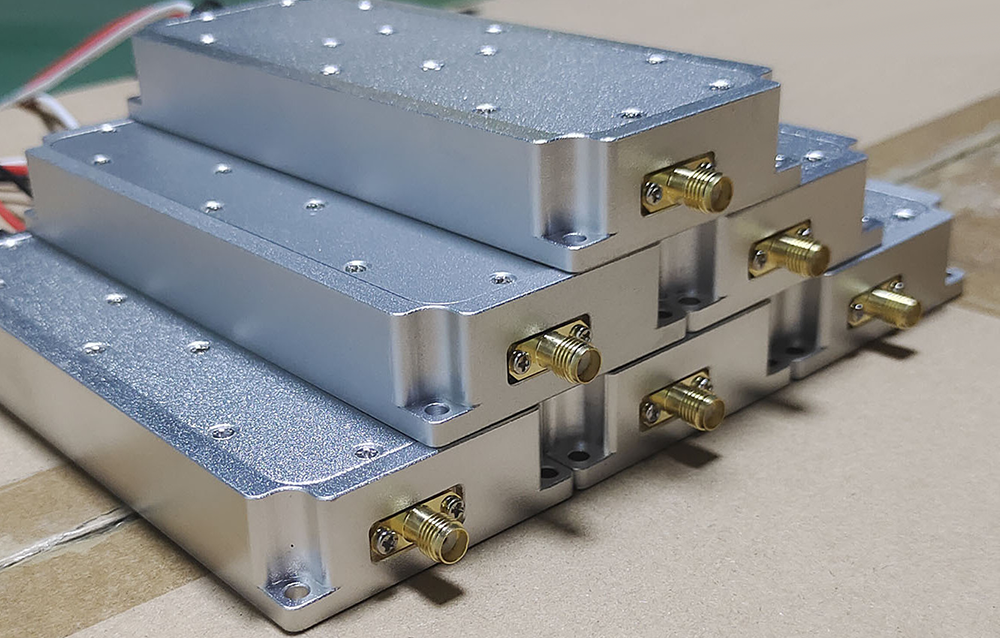
Physical Check: Inspect the antenna elements for cracks, bends, or loose hinges. Tighten any locking collars on SMA or TNC connectors by hand. Do not overtighten with tools, as this strips threads and damages the internal pin.
-
Protection: When not in use, always replace protective caps on exposed RF ports. Moisture ingress is the primary cause of long-term corrosion in high-frequency circuits.
3. Trigger and Cooling System Check
These devices generate significant heat during sustained bursts.
-
Fan Function: Power on the device and listen for the internal cooling fan. If the fan is silent, grinding, or vibrating excessively, the unit should not be used for extended jamming bursts. Overheating will permanently damage the power amplifier module.
-
Trigger Mechanism: Depress the trigger several times to ensure smooth mechanical action. On some advanced units, a sticky or unresponsive trigger can result from debris lodged in the grip housing.
Section 2: Common Troubleshooting Scenarios
If your unit fails to operate as expected, run through this diagnostic checklist before assuming a critical hardware failure.
| Symptom | Probable Cause | Recommended Fix |
|---|---|---|
| Unit Won’t Power On | Battery not fully seated; Safety key not engaged; Battery depleted | Remove and re-insert battery firmly. Ensure the arming key (if equipped) is turned to the “On” position. Swap with a known-charged battery. |
| Significant Reduction in Range | Loose antenna connection; Antenna tuned for wrong band | Verify all antennas are finger-tight. Ensure you are using the correct antenna set for the targeted frequency band (e.g., 2.4/5.8 GHz vs. GNSS L1/L2). |
| Unit Shuts Off During Jamming | Battery sag under load; Overheating protection | Battery voltage drops too low when transmitting. Solution: Replace battery with a newer pack rated for high discharge (high C-rating). If the unit is hot to the touch, allow it to cool for 15-20 minutes before next use. |
| Reduced Jamming Effect on Target | Atmospheric conditions; Target drone uses frequency hopping | Note that heavy humidity or rain absorbs RF energy. Also, ensure your jammer’s signal pattern is directed accurately toward the drone, not the ground. |
Section 3: Cleaning and Long-Term Storage
Field use exposes the device to dust, salt spray (coastal environments), and moisture.
-
Exterior Wipe-Down: Use a lightly damp microfiber cloth with mild soap solution to clean the polymer housing. Avoid harsh solvents like acetone or brake cleaner, which degrade the plastic and rubberized grip.
-
Ventilation Grille: Use compressed air to blow dust out of the cooling vents. Blocked vents are the leading cause of thermal failure.
-
Storage Environment: Store the gun and batteries in a cool, dry, and temperature-stable environment. Avoid leaving the equipment in a hot vehicle trunk during summer, as extreme temperatures degrade battery chemistry and LCD screen seals.
Section 4: When to Seek Professional Repair
While field troubleshooting can solve most minor issues, certain symptoms require manufacturer-level attention.
-
Smoke or Acrid Smell: This indicates a failed capacitor or burnt power amplifier. Power down immediately and disconnect the battery.
-
Constant High VSWR Alerts: If the device displays a high Voltage Standing Wave Ratio warning even with a known-good antenna, the internal RF connector soldering may have cracked due to impact.
-
LCD Screen Artifacts: Missing pixels or a faded screen usually indicate a failing internal ribbon cable connection.
Conclusion
A handheld drone jamming gun is a tactical asset that requires disciplined care. By adhering to a strict battery storage protocol and performing pre-deployment visual checks, operators can significantly reduce the likelihood of equipment failure during critical counter-drone operations. Always consult the specific manufacturer’s manual for your model, as maintenance intervals and specific diagnostic codes may vary
